
Use these instructions for adding individuals except career firefighters at paid and part-paid departments in Alabama
Select Roster Changes. If you have been granted chief/designee permission and your department is a paid or part-paid department in Alabama, you will see all 4 options. All other departments will see Add and Remove Personnel. If you have access to multiple departments, verify the correct department is listed:
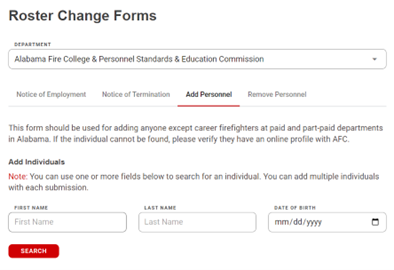
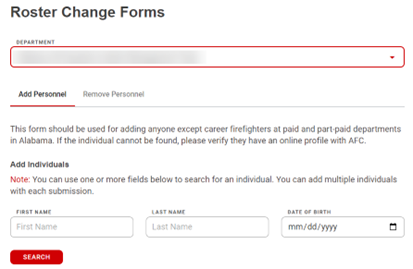
Select the Add Personnel tab. Search for the individual you want to add. You can search using any combination of the fields listed (including partial word search). If the individual has ever trained with the Alabama Fire College, you should be able to locate them:
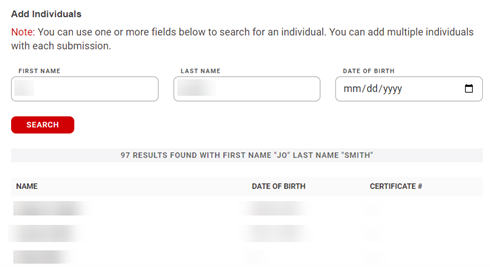
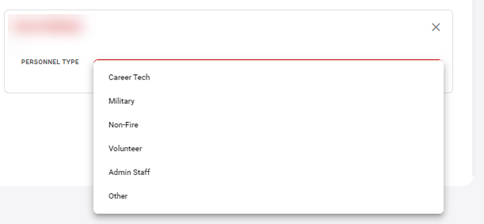
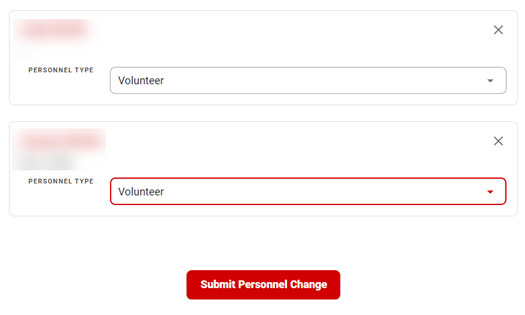
Once the individual is located, select their name. You can search again and add multiple individuals. Once an individual has been selected you can select a personnel type (this is not required):
When all individuals have been chosen, select Submit Personnel Change:
If you cannot locate an individual, contact them, and make sure they have a profile with the Alabama Fire College. If not, ask them to create one Here.